Safra em Dia · agribusiness

Farm management that keeps up with the work of those who produce

Record what happens on the property and monitor the operation by harvest season, lot and cost center.

Aly consults a holographic panel of farm data

The work

From the field to the record, without losing the origin.

Safra em Dia brings together properties, fields (plots), crops and harvest seasons. Production and financial entries connect to inventory, lots and costs, so the information keeps up with the producer's routine.

Aly checks a record at a rural workstation; Debug rests nearby.
Recording production starts in the daily routine of the field and gains value when the information can be checked.

Record

Text or audio messages on the phone: the system interprets them, asks for confirmation and records expenses, harvests, sales and other routine actions. The web dashboard also lets you work directly on the screens.

Monitor

Check inventory, lots, balances and costs. In the fields, track activities, treatments, schedule and harvest seasons.

Review

Income and expenses use rural cash book categories. Results can be viewed by cost center or harvest season and exported to PDF and Excel.

Safra em Dia in practice

Real product screens

The scenes are illustrations by the RVMIT team. The screens in this section are from the product, with fictitious demo data.
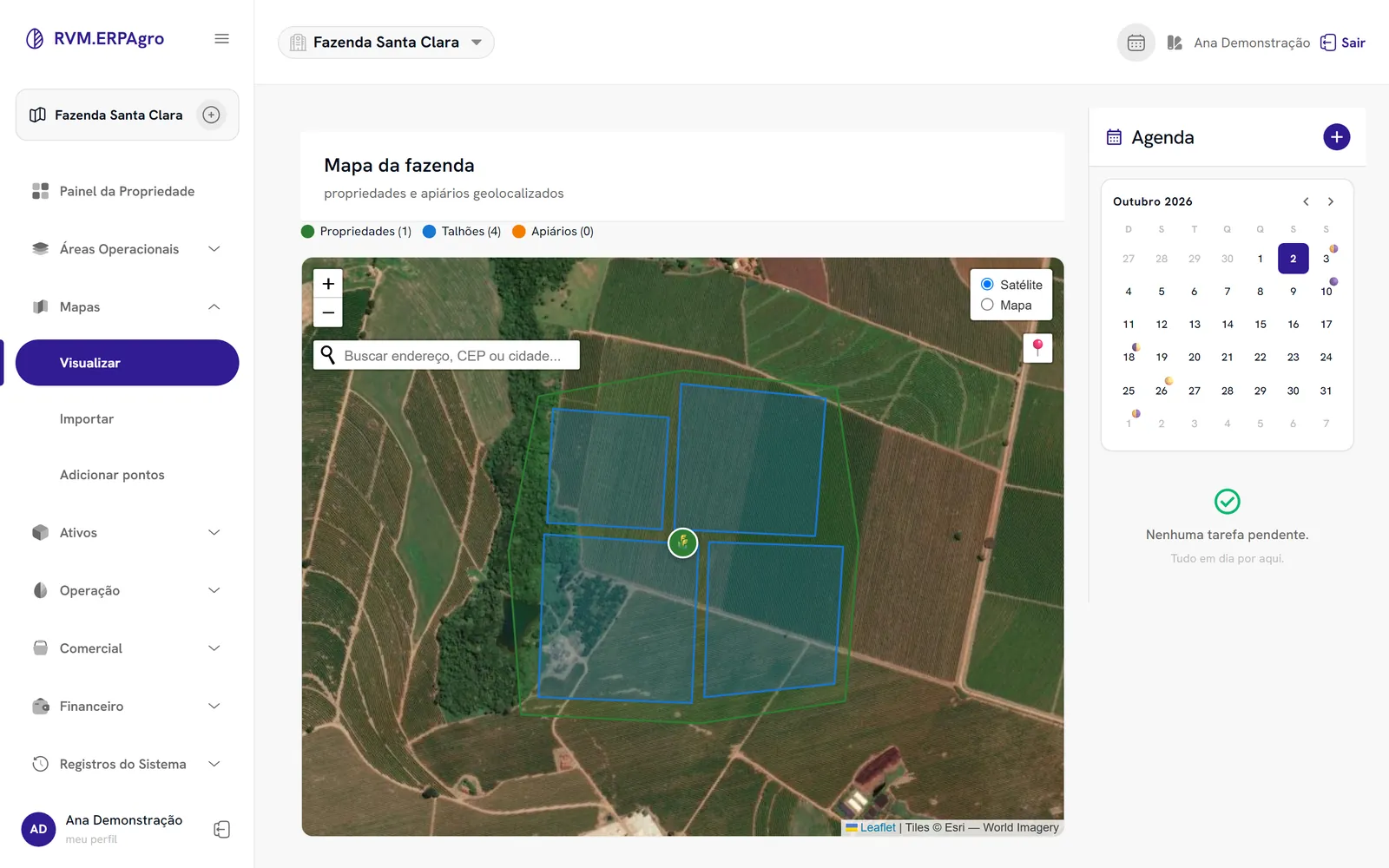
Safra em Dia map screen with the farm boundary and four fields (plots), using fictitious demo data.

Farm map

The map shows the property boundary and four fields (plots) of the demo farm.
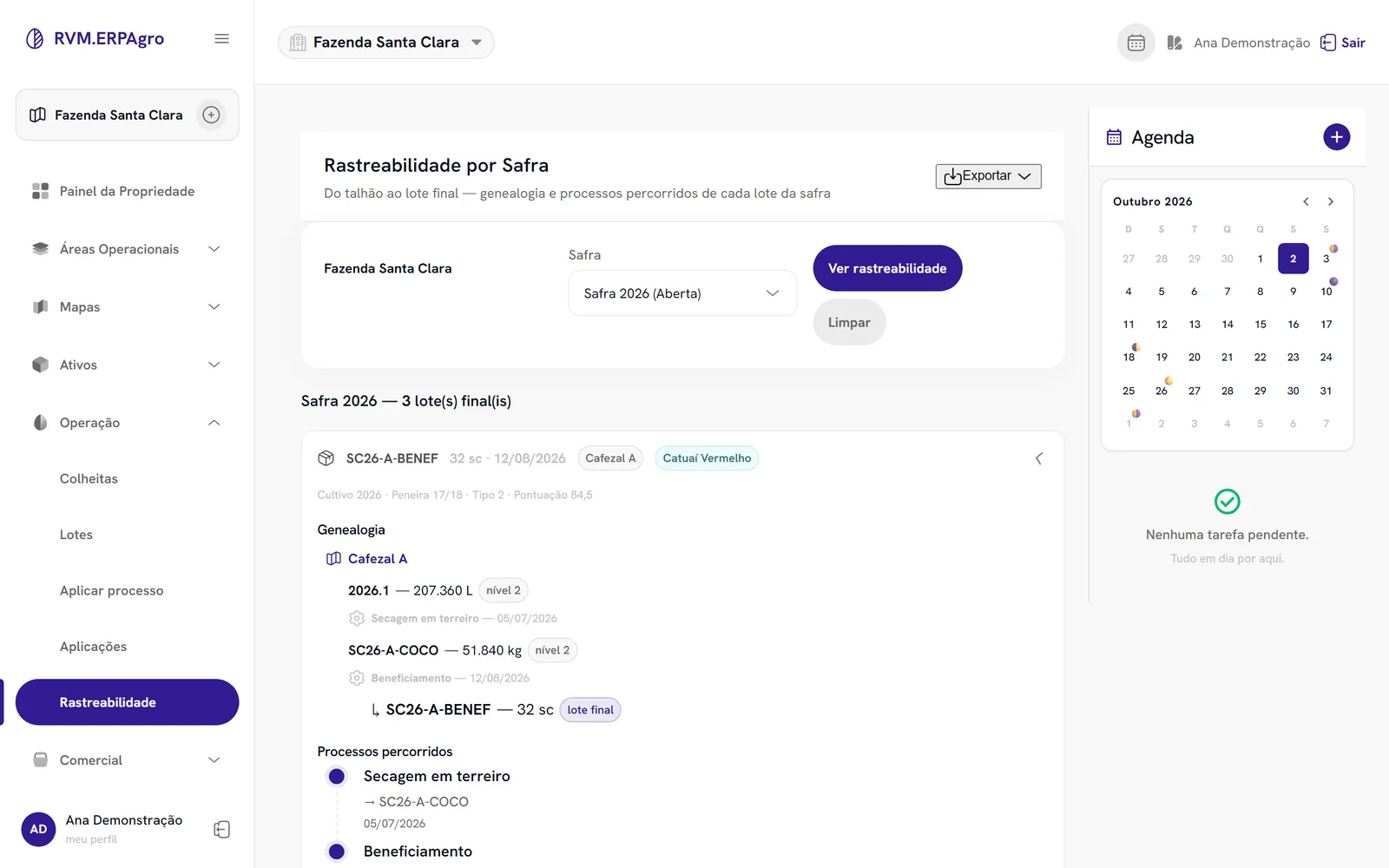
Safra em Dia traceability screen with the stages of the 2026 coffee harvest and fictitious demo data.

Harvest traceability

The sequence links Cafezal A to the harvest, the processing and the final coffee lot.
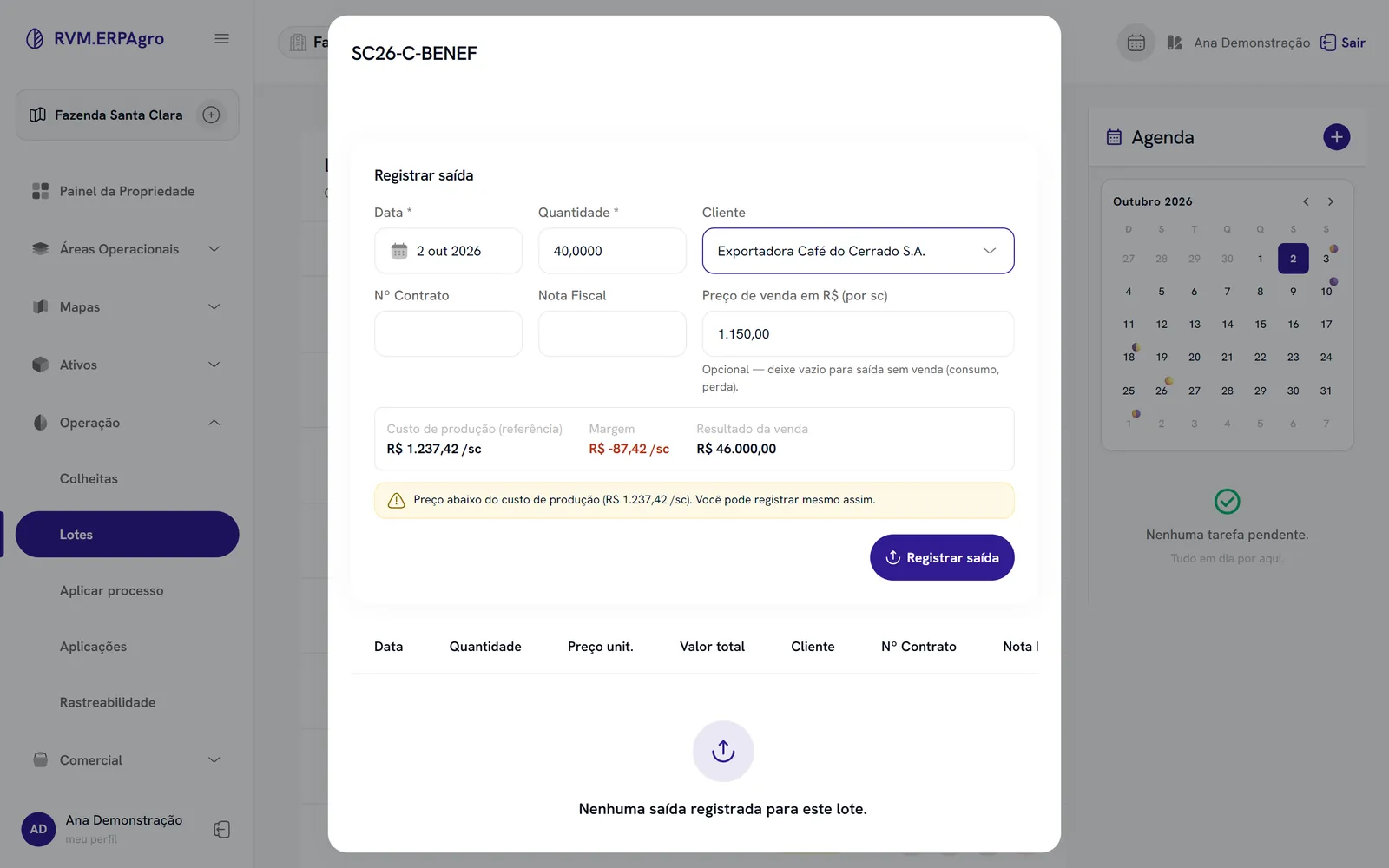
Safra em Dia Record Sale card with cost, negative margin and a below-cost price alert, using fictitious demo data.

Sale with alert

The alert appears before recording a sale below the production cost.
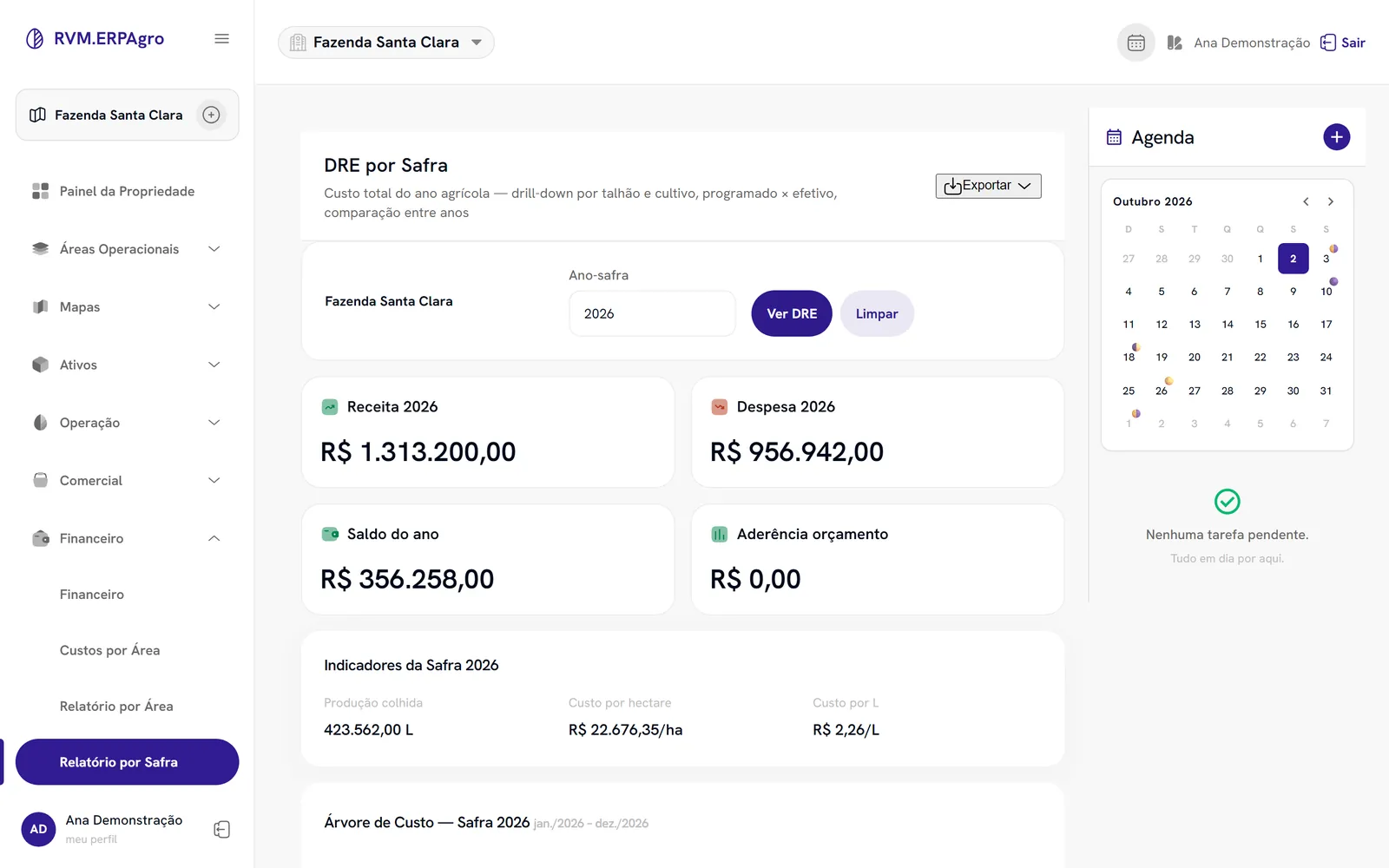
Income Statement by Harvest Season screen in Safra em Dia, with Revenue, Expenses and Year Balance cards, using fictitious demo data.

Income statement by harvest season

The income statement shows revenue, expenses and balance for the 2026 crop year.

Example of use

One purchase, one entry to check.

  1. Message. “I bought 50 kg of fertilizer for R$ 800.”
  2. Interpretation. The system identifies a farm input expense.
  3. Confirmation. The user checks the data before it is recorded.

Delivered features

Production, traceability and management.

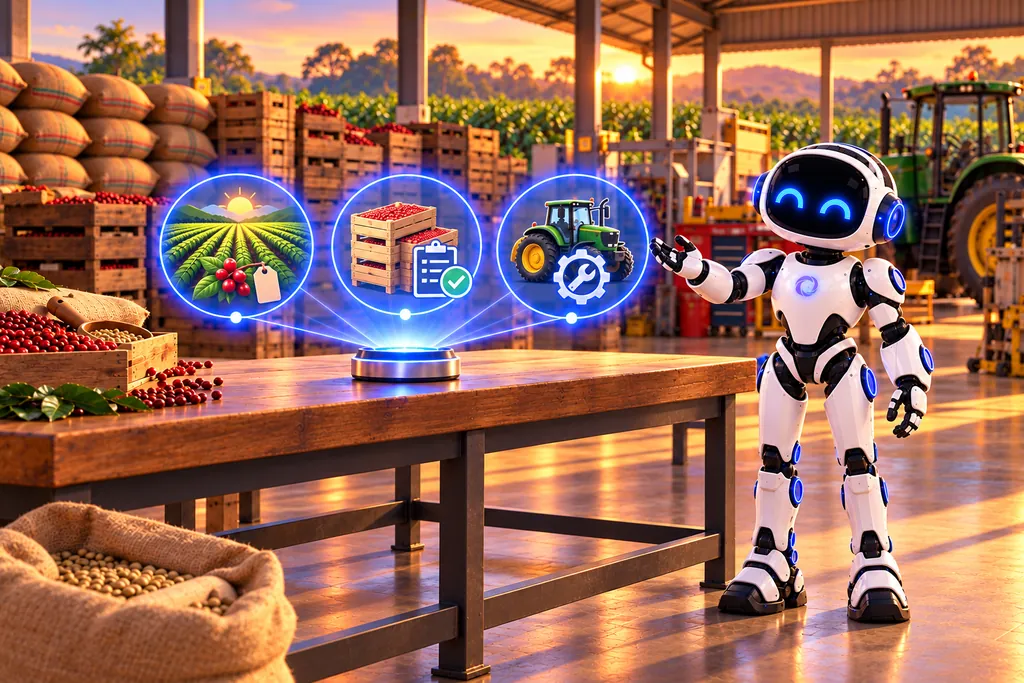
U.A.I. presents three conceptual groups of farm records for production, inventory and assets.
Production, inventory and assets form a connected view of the farm operation.

Harvest seasons and lots

Coffee harvests can form traceable lots, with origin, processes and results by harvest season.

Inventory and sales

Products, customers, stock locations and sales with margin. Importing purchase NF-e invoices via XML posts to inventory and finance.

Machinery and assets

Machinery records, maintenance and fixed assets in a single system.

Coming soon · no promised date

What is coming in and what is still being planned.

The items below are not features of the production version described above. “In validation” indicates features already developed, in testing and not yet available in the production version. “Planned” indicates expected features, not yet delivered.

In validation

  • Livestock: animals, lots, weighing, average daily gain, sales by the arroba and dairy control. Vaccination and reproductive events come later.
  • Beekeeping: apiaries, hives, inspections, collection and extraction; scheduled management comes later.
  • Grains: soybeans and corn, bags, moisture and impurity discounts, silo and yield. Silo monitoring, CPR and contracts come later.
  • Coffee: cost per bag for each lot, cup quality, harvest estimate and moisture alerts. Hulling cost is a later phase.
  • Farm labor: daily wage or piecework, planned vs. actual and cost per crop; it is not CLT payroll.
  • In-app help: field explanations and clearer error messages.

Planned

  • LCDPR file: official export for the accountant depends on additional tax records.
  • Leasing and sharecropping: screens and financial flow are not complete yet.
  • Coffee prices: market reference on the sales screen.
  • Cooperatives: integration in the discovery phase.

Frequently asked questions

What is useful to know before you start.

Do I need to record everything on my phone?

No. Safra em Dia also offers a full web dashboard.

Does the system generate the official LCDPR file?

Entries are classified under the rural cash book categories, but generation of the official file has not been delivered yet.

Does it work for any type of production?

Today Safra em Dia serves coffee and other crops. The specific scope for your property should be checked in a demo.
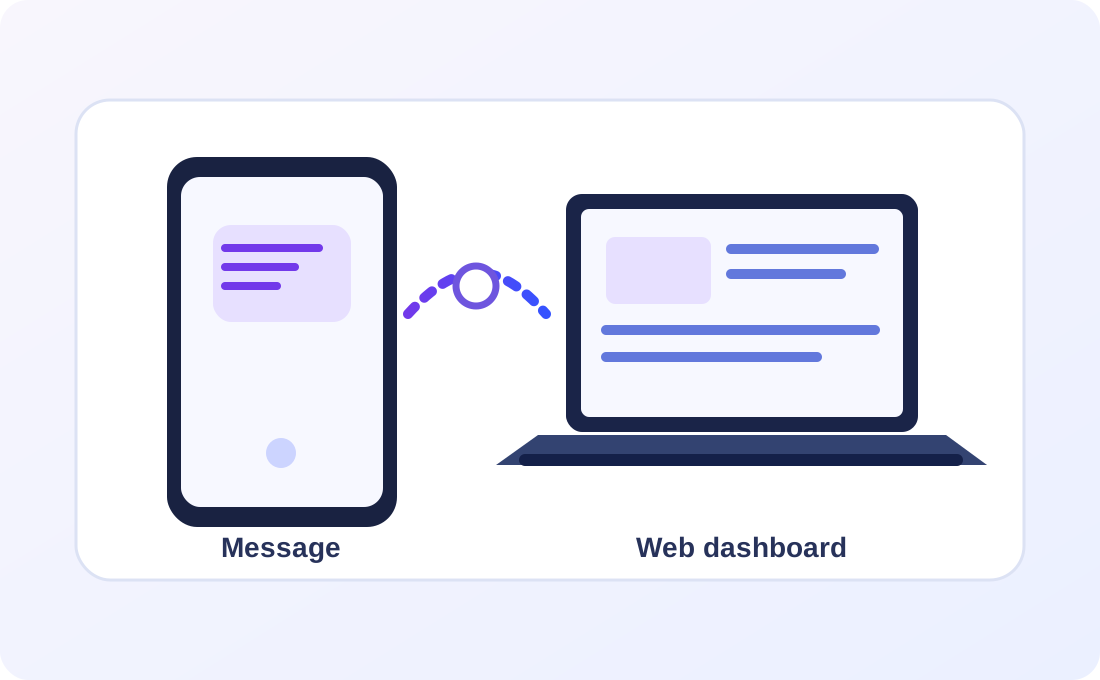
Phone with a message and laptop with the web dashboard connected to the same conceptual record.
Messages and the web dashboard are ways to work with the records.

Next step

Let's understand your operation.

Tell us the context and the most important rules. The first conversation helps define the right path.