Check eligibility
Before allocation, the system checks documents, maintenance, work orders, hiring, leave and scheduling conflicts. An exceptional release requires a recorded reason.
 RVMIT
RVMITObra em Dia · construction
Know who and what is allocated to each work front, which pending issues block a transfer and how the cost follows the operation.
Talk about this solution
The work
Sites, work fronts, owned or rented machines and workers follow the same allocation flow. The cost center follows the work front and the recorded operation.

Before allocation, the system checks documents, maintenance, work orders, hiring, leave and scheduling conflicts. An exceptional release requires a recorded reason.
Transfers record origin, destination, meter reading and photos. Maintenance, refueling and daily time logs are part of the routine.
Labor, housing and equipment make up the cost per resource and per work front. The system consolidates these amounts and compares budget vs. actual.
Obra em Dia in practice
The scenes are illustrations by the RVMIT team. The screens in this section are from the product, with fictitious demo data.
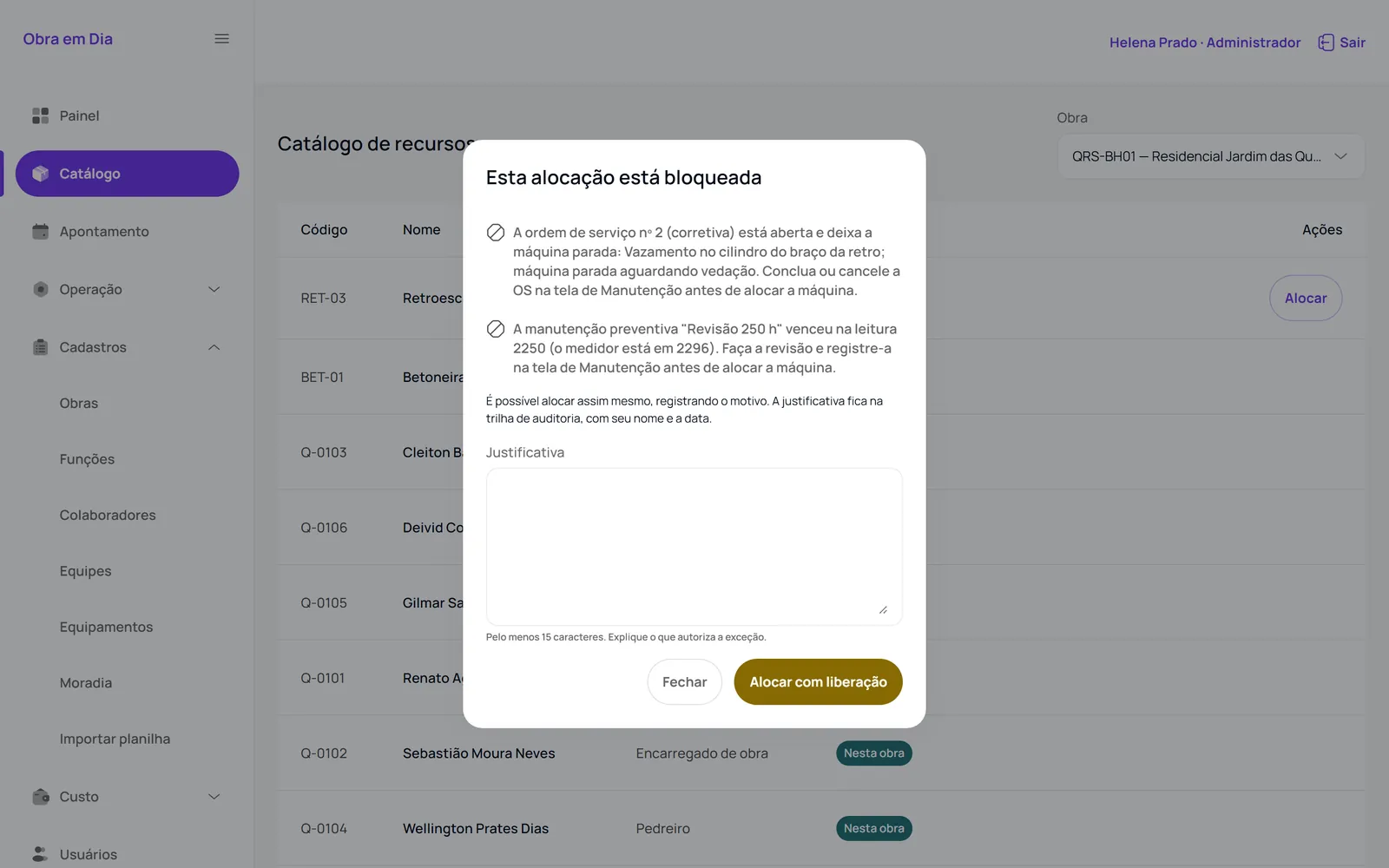
The modal shows the open corrective work order and the overdue preventive maintenance before allocation.
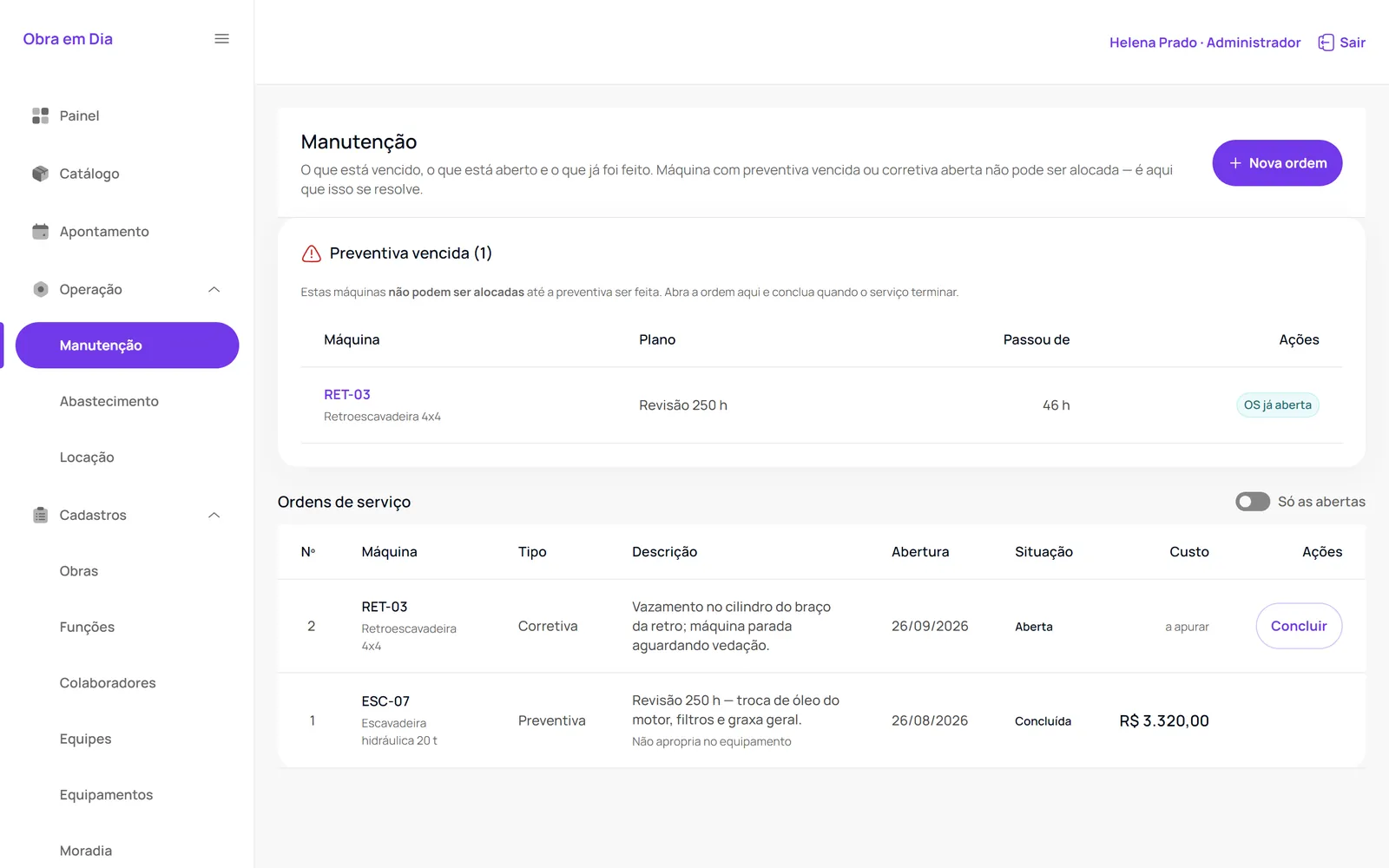
The screen brings together overdue preventive maintenance, an open corrective work order and completed preventive maintenance.
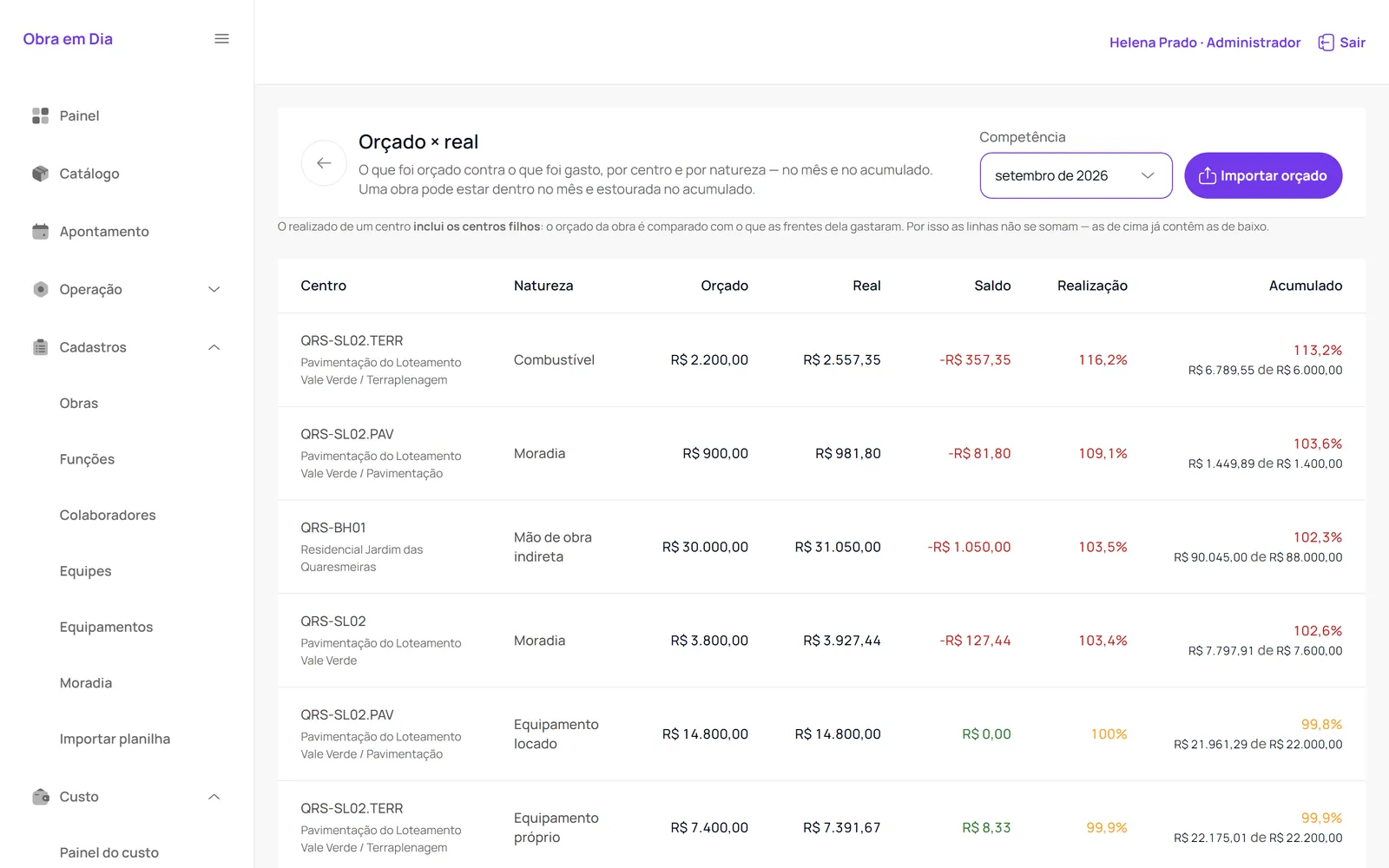
The comparison shows budget, actual spending, balance and execution by cost center and type.
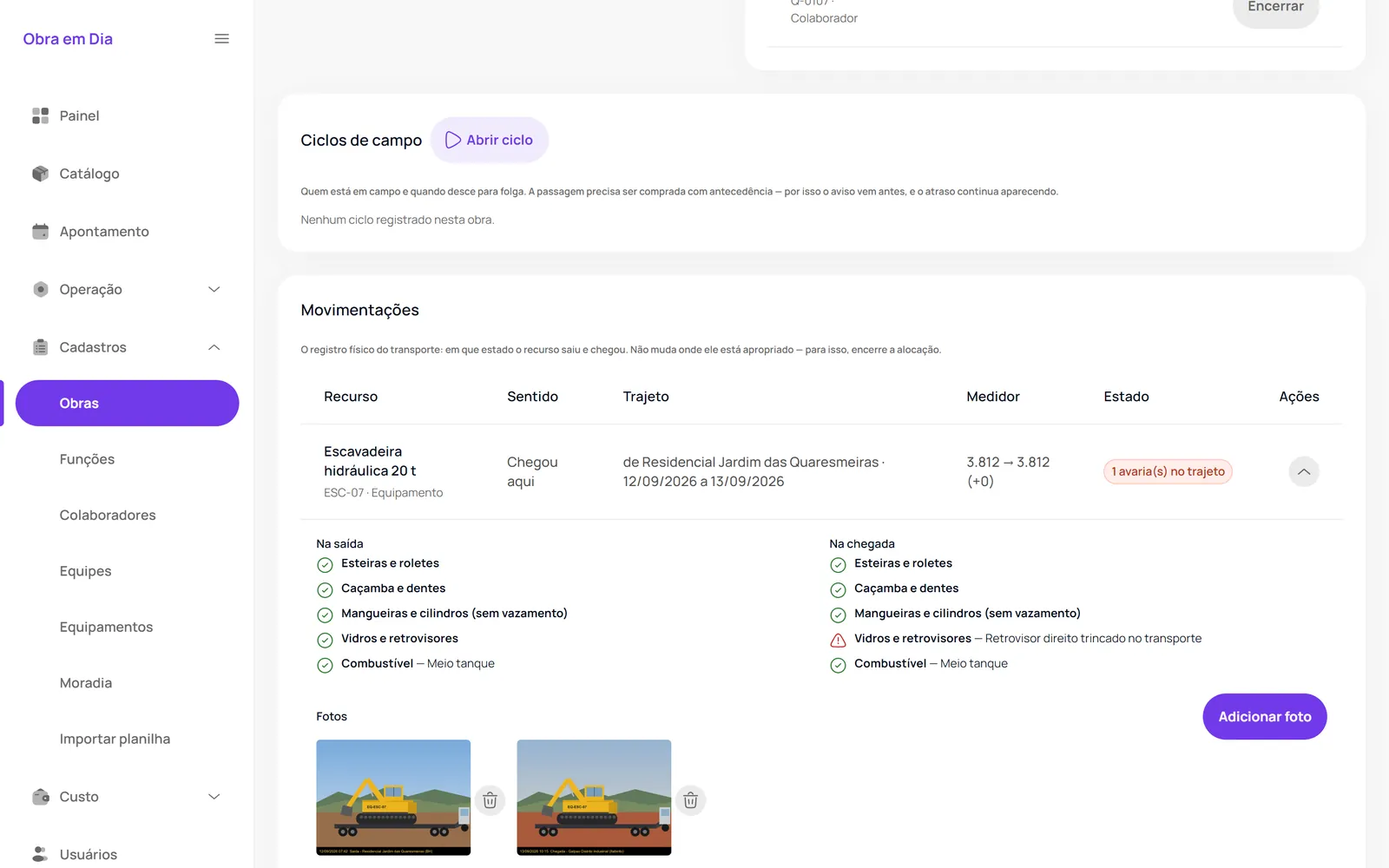
The ESC-07 record includes departure and arrival checklists, with damage highlighted.
Example of use
Delivered features

Sites, work fronts, crews, equipment and workers. Spreadsheet import with review and printable QR tags for equipment.
Cost per resource and per work front, housing allocated per night stayed, and period close with justified reopening.
Permissions by screen and site, amounts restricted to those allowed to see them, two-step verification and auditing of sensitive actions.
Coming soon · planned, no date
Planned items, with no delivery date yet.
Frequently asked questions
No. It tracks allocation and operating cost; payroll and HR are out of scope.
No. Today Obra em Dia works online; alerts appear in the system.
We map sites, work fronts, equipment, people and blocking rules before organizing the deployment.

Next step
Tell us the context and the most important rules. The first conversation helps define the right path.